About this game
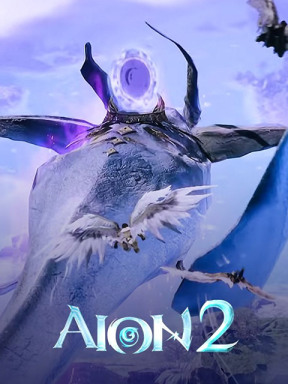
Inheriting the essence of the original "AION," the eternal rivalry between the Celestials and the Demons unfolds. An endless conflict spanning time and space, the only wings left on the battlefield.
Eight iconic classes await your choice
An overwhelmingly large map 36 times larger than the original. Fly freely across the entire map, breaking free from terrain restrictions. Breaking down spatial boundaries unlocks a new era of combat innovation.
Over 200 meticulously customized parts
Create characters beyond your imagination. A completely customizable appearance system that brings dreams to life.
Utilizing a move dodge mechanic and situational skill combo system
Anticipate and counterattack instantly, making combat even more intense. Skills are no longer just "routines," but true "strategy."
Hundreds of dungeons and intense boss battles
Each dungeon offers unique rules and mechanics, offering new challenges. Win endless glory through continuous challenges.
A variety of mini-games in the wild areas
Play magical mini-games between endless battles. Soar through the wind, leap along a mysterious rainbow path, or simply show off your flying skills!
What is Quna in Aion 2?
Quna is the premium shop currency in Aion 2, used alongside Kinah (the in-game currency) for purchasing cosmetic items, battle passes, and other premium content. Players need Quna to access exclusive outfits, weapon skins, pets, wings, and other cosmetic enhancements that make their characters stand out in the game.
How to Top Up Cheap Quna for Aion 2 Taiwan with MyCard at SEAGM.com
Step-by-Step Guide to Top Up Aion 2 TW Quna with SEAGM
Step 1: Purchase MyCard Taiwan Points at SEAGM- Visit SEAGM.com and navigate to the MyCard Taiwan product page
- Select your desired MyCard denomination
- Add to cart and proceed to checkout
- Choose your preferred payment method
- Complete the payment process
After completing your purchase, go to "My Cards" section in your SEAGM account to retrieve your MyCard serial number and password.
Step 3: Redeem MyCard for Aion 2- Go to the Aion 2 TW Official top-up website, log in to your game account.
- Select the top-up product and choose your character's server. After confirming the details, click "Purchase" (or "Buy").
- Select "MyCard Points Card" (or "MyCard Prepaid Card").
- After confirming that the order information is correct, fill in your email address and click "Pay" (or "Proceed to Payment").
- Enter the card number and password, then click "Confirm" (or "Submit").
- Your Quna will be credited to your Aion 2 account instantly
Important Reminders
MyCard Taiwan can only be used for Taiwan server accounts and is NOT suitable for Korean or other regional versions.
- Make sure you're playing on the Aion 2 Taiwan server before purchasing.
- Ensure your Aion 2 account is registered on the Taiwan server.
- MyCard Taiwan points cannot be used for Korean or other regional servers.
Essential AION 2 Game Resources
How to Play AION 2 From Any Country: Account Creation and Download
AION 2 OTP Guide: How to Verify Your Phone and Register Your Device