
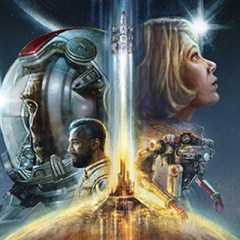
About Starfield (Steam)
Starfield is the first new universe in over 25 years from Bethesda Game Studios, the award-winning creators of The Elder Scrolls V: Skyrim and Fallout 4. In this next generation role-playing game set amongst the stars, create any character you want and explore with unparalleled freedom as you embark on an epic journey to answer humanity's greatest mystery.
Why Choose SEAGM for Starfield (Steam)?
Our dedicated customer support team is ready to assist you anytime. Reach out to us!
- Fast and Hassle-Free
Get Starfield (Steam) on SEAGM in quick and easy. - Flexible Payment Options
Pay using the most popular payment methods worldwide. - Instant and Secure Delivery
Receive your purchase securely and instantly. - Exciting Offers and Promotions
Take advantage of incredible deals, giveaways, and exclusive offers only on SEAGM. Read more in SEAGM News!
Buy Starfield (Steam) with SEAGM
Get Starfield (Steam) and offers when you sign in to your SEAGM account. If you're new, sign up with SEAGM today! Our 24/7 support team is here to assist you anytime. Please don't hesitate to reach out for help via our 'Contact Us' page and or visit our support website at https://help.seagm.com/.
Browse SEAGM website to find what you need, or check out more gaming news, exclusive offers, and updates at https://news.seagm.com/.