Naglo-load
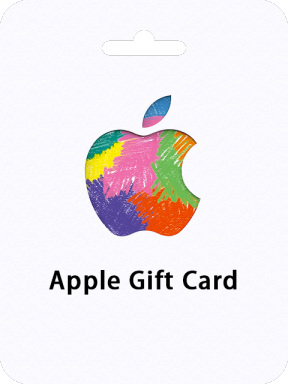
Apple Gift Card (BE)

Apple Gift Card (BE)

Belgium
Important Note: Apple Gift Card (BE) sold by SEAGM is region locked. ONLY for Apple Account registered in the Belgium and it is Non-Returnable and Non-Refundable.
Apple Gift Card (BE) - Apple Gift Card 5 EURO BE
Apple Gift Card 5 EURO BE
Pumili ng Denominasyon
Kumpirmahin
Kantidad
Hangganan ng Pagbili: 1 ~ 10
Kabuuan
US$ 6.04
Mga Kredito ni SEAGM 2,404
Diskwento sa Bundilya
Walang
Diskwento
US$ 0.03 (0.5%)
Libre
×
Tinatanggap na Buwis
0%
STARs
24 (inatayang)
Paglalarawan

About iTunes Gift Card Belgium

iTunes Gift Card code is redeemable for apps, games, music, movies, TV shows and more on the iTunes Store, App Store, iBooks Store, and the Mac App Store. Recipients can access their content on an iPhone, iPad, or iPod, and watch or listen on a computer – Mac or PC.

Why Choose SEAGM for top up iTunes Gift Card (BE) Belgium?

Our dedicated customer support team is ready to assist you anytime. Reach out to us!

  • Fast and Hassle-Free
    Get your iTunes Gift Card (BE) Belgium top up on  SEAGM  in quick and easy.
  • Flexible Payment Options
    Pay using the most popular  payment methods  in Belgium.
  • Instant and Secure Delivery
    Receive your purchase securely and instantly.
  • Exciting Offers and Promotions
    Take advantage of incredible deals, giveaways, and exclusive offers only on  SEAGM . Read more in  SEAGM News !

Looking for other region's iTunes Gift Card?

Go to iTunes Gift Card page which you can find all the available regions to top up your iTunes account.

Get now iTunes Gift Card (BE) by sign in to your SEAGM account. If you're new, sign up with SEAGM today!

Our 24/7 support team is here to assist you anytime. Please don't hesitate to reach out for help via our ' Contact Us ' page and or visit our support website at https://help.seagm.com/ .

Browse SEAGM website for more our shopping products to find what you need, or check out more gaming news, exclusive offers, and updates at https://news.seagm.com/ .

Gabay

How to redeem your Apple Gift Card (BE) with your iPhone, iPad, or iPod touch?

  1. Retrieve the 16-digit code from your SEAGM account
  2. On your iPhone, iPad, or iPod touch, open the App Store app.
  3. At the top of the screen, tap the sign-in button or your photo.
  4. Tap Redeem Gift Card or Code. If you don’t see Redeem Gift Card or Code, sign in with your Apple ID.
  5. Tap Use Camera and follow the instructions on the screen. If you have trouble redeeming the card, tap "You can also enter your code manually," then follow the instructions on the screen.
  6. Tap Done.

How to redeem your Apple Gift Card (BE) on your Mac?

  1. Retrieve the 16-digit code from your SEAGM account
  2. On your iPhone, iPad, or iPod touch, open the App Store app.
  3. On your Mac, open the App Store.
  4. Click your name or the sign-in button in the sidebar.
  5. Click Redeem Gift Card.
  6. Click Use Camera and follow the instructions on the screen. If you have trouble redeeming the card, click "You can also enter your code manually," then follow the instructions on the screen.

How to redeem your Apple Gift Card (BE) on a Windows PC?

  1. Retrieve the 16-digit code from your SEAGM account
  2. Open iTunes.
  3. From the menu bar at the top of the iTunes window, choose Account.
  4. Choose Redeem.
  5. Sign in and follow the instructions on the screen.
Mga Review ng User na may Komento Lahat ng Mga Pagsusuri
Kabuuang Mga Pagsusuri423
Average na Rating5.00
zubairusmanszai1618365610
우수함
2025/07/19
I buy a gift card but I didn't receive it
nasrllha
nasrllha
우수함
2025/06/23
How do I use it?
iraqqiraq7611595845613
우수함
2024/06/27
C63007990
Google_114706271897421685639
우수함
2024/03/16
I buy apple gift card be But i dont know where my code
Apple_HadjiHasan
Apple_HadjiHasan
우수함
2024/01/27
Heel snel
Apple_HadjiHasan
Apple_HadjiHasan
우수함
2024/01/22
Snel
ChatBuhay