
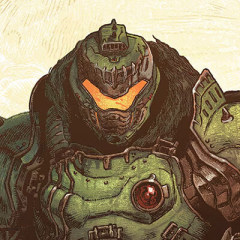
About DOOM: The Dark Ages (Steam):
Release Date: 15 May 2025
DOOM: The Dark Ages is the prequel to the critically acclaimed DOOM (2016) and DOOM Eternal that tells an epic cinematic story worthy of the DOOM Slayer’s legend. In this third installment of the modern DOOM series, players will step into the blood-stained boots of the DOOM Slayer, in this never-before-seen dark and sinister medieval war against Hell.
DOOM: The Dark Ages is a dark fantasy/sci-fi single-player experience that delivers the searing combat and over-the-top visuals of the incomparable DOOM franchise, powered by the latest idTech engine.
Why Choose SEAGM to DOOM: The Dark Ages (Steam)?
Our dedicated customer support team is ready to assist you anytime. Reach out to us!
- Fast and Hassle-Free
Get your Gothic 1 Remake (Steam) on SEAGM in quick and easy. - Flexible Payment Options
Pay using the most popular payment methods in Worldwide. - Instant and Secure Delivery
Receive your purchase securely and instantly. - Exciting Offers and Promotions
Take advantage of incredible deals, giveaways, and exclusive offers only on SEAGM. Read more in SEAGM News!
Buy DOOM: The Dark Ages (Steam) with SEAGM
Get DOOM: The Dark Ages (Steam)and offers when you sign in to your SEAGM account. If you're new, sign up with SEAGM today! Our 24/7 support team is here to assist you anytime. Please don't hesitate to reach out for help via our 'Contact Us' page and or visit our support website at https://help.seagm.com/.
Browse SEAGM website to find what you need, or check out more gaming news, exclusive offers, and updates at https://news.seagm.com/.