加载中
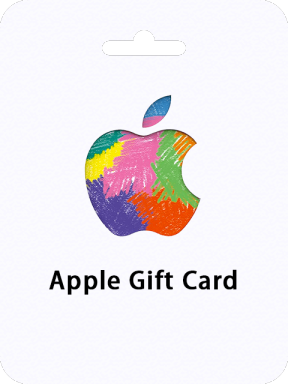
Apple 礼品卡  (瑞典)

Apple 礼品卡 (瑞典)

瑞典
Important Note: Apple Gift Card (SE) sold by SEAGM is region locked. ONLY for Apple Account registered in the Sweden and it is Non-Returnable and Non-Refundable.
Apple 礼品卡  (瑞典) - Apple Gift Card 20 SEK SE
Apple Gift Card 20 SEK SE
选择面额
确认
数量
购买限额: 1 ~ 10
优惠券
  • 50%OFF
总计
RM 9.21
SEAGM Credits 921
组合优惠
折扣
RM 0.05 (0.5%)
免费
×
含税
0%
STARs
9 (估计)
描述

About Apple Gift Card (SE)

An Apple Gift Card is a multi-purpose prepaid card that can be used to buy a wide range of Apple products and services, including laptops, music, apps, e-books, and more. It replaces the former Apple Store Gift Cards, iTunes Gift Cards, and App Store Gift Cards, giving you more flexibility and convenience when shopping for Apple products. Simply use your card code as payment at checkout in any SE Apple Store or redeem it to refill your ID balance online.

Looking for a quick and secure way to refill your Apple ID balance? Purchase an Apple Gift Card online now! With this prepaid credit, you can easily make purchases on the iTunes store without having to link a credit card or share your bank details. Plus, no surprise charges! Redeem your code right away for more store credit, app downloads, music, TV shows, movies, and more!

Overall, an Apple Gift Card offers a convenient and secure way to make purchases on the iTunes store and other Apple products and services. It's also a great gift option, as you can personalize it with a message and choose from a variety of design templates.


指南

How to redeem your Apple Gift Card (SE) with your iPhone, iPad, or iPod touch?

  1. Retrieve the 16-digit code from your SEAGM account
  2. On your iPhone, iPad, or iPod touch, open the App Store app.
  3. At the top of the screen, tap the sign-in button or your photo.
  4. Tap Redeem Gift Card or Code. If you don’t see Redeem Gift Card or Code, sign in with your Apple ID.
  5. Tap Use Camera and follow the instructions on the screen. If you have trouble redeeming the card, tap "You can also enter your code manually," then follow the instructions on the screen.
  6. Tap Done.

How to redeem your Apple Gift Card (SE) on your Mac?

  1. Retrieve the 16-digit code from your SEAGM account
  2. On your iPhone, iPad, or iPod touch, open the App Store app.
  3. On your Mac, open the App Store.
  4. Click your name or the sign-in button in the sidebar.
  5. Click Redeem Gift Card.
  6. Click Use Camera and follow the instructions on the screen. If you have trouble redeeming the card, click "You can also enter your code manually," then follow the instructions on the screen.

How to redeem your Apple Gift Card (SE) on a Windows PC?

  1. Retrieve the 16-digit code from your SEAGM account
  2. Open iTunes.
  3. From the menu bar at the top of the iTunes window, choose Account.
  4. Choose Redeem.
  5. Sign in and follow the instructions on the screen.
有评论的用户评价 全部评论
总评价434
平均评分4.98
Rudy1777
Rudy1777
Miski
2026/05/08
Kodenya ke apa gak bisa di buka Code cant opend
Sagis152
Sagis152
Buruk
2024/05/01
H
Sagis152
Sagis152
Cemerlang
2024/02/26
K

优惠券

关闭
可用
不可用
50%OFF
领取
Apple & iTunes Gift Card 50% Discount Coupon
最大折扣金额 300 SEAGM Credits
99% 使用
有效日期2026/06/05 00:00 ~ 2026/06/12 23:59(GMT +8)
搜索未找到
在线聊天