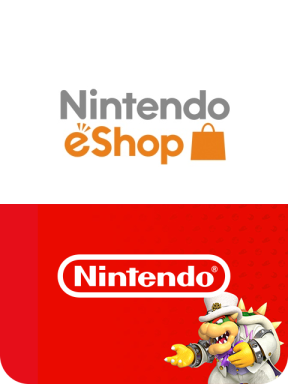
About Nintendo eShop Gift Card
Buy a Nintendo eShop Gift Card and start shopping on the eShop! Redeem the gift card directly into your Nintendo account via Nintendo's, Nintendo Switch. Once redeemed, you can start buying any Nintendo games available on the eShop.
Nintendo Switch Online
The Nintendo eShop Gift Card can also be used to begin a Nintendo Switch Online subscription. Here are the benefits of subscribing to Nintendo Switch Online:
Online Play
Play online with other players be it co-op or battle in games like Mario Kart and Super Smash Bros. Ultimate.
Nintendo Entertainment System - Nintendo Switch Online
Enjoy classic NES games with newly added online support! Titles are addded regularly.
Save Data Cloud
With your save data backed up regularly, you can easily retrive them anywhere, anytime.
Smartphone App
Enhance your Switch experience with the smartphone app that lets you voice call other players when playing online.
Special Offers
Enjoy member-exclusive deals and purchase limited edition products!
Region Setting
Select the correct region before you redeem the Nintendo eShop Gift Card code.
Existing Nintendo eShop account balance does not carry over when you change the country that your Nintendo Account is set to. You will need to use the remaining funds in your Nintendo Account balance before you will be able to change the country.
How to change Nintendo Region?
-
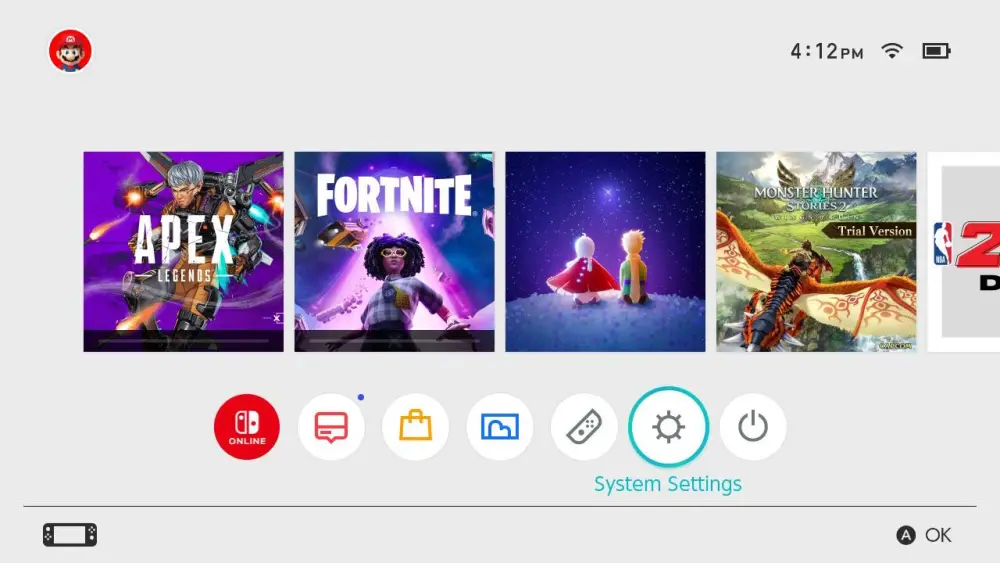
To change the region on your console, select “Settings” from the main menu.
-
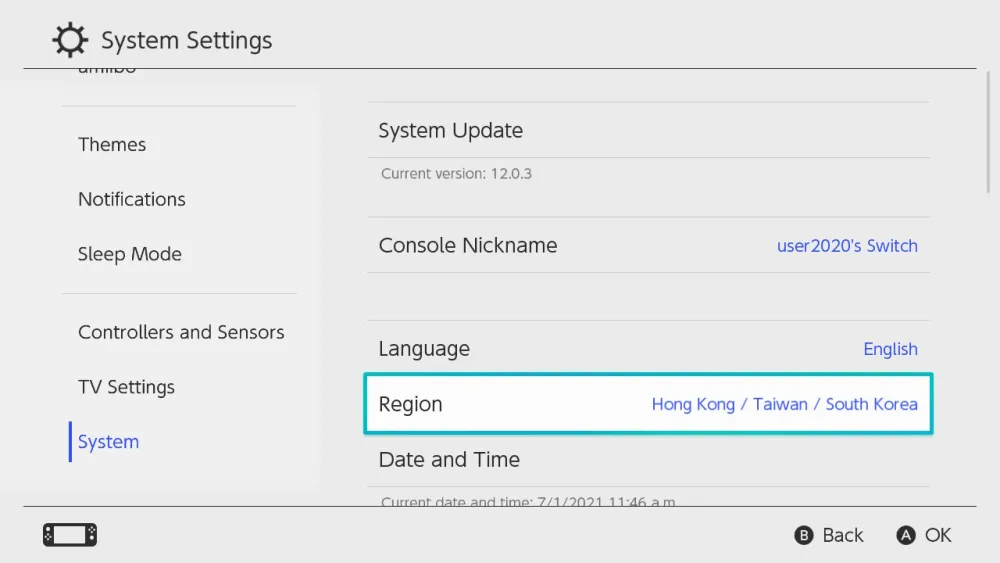
Look for the “System” all the way at the bottom and select “Region”.
-
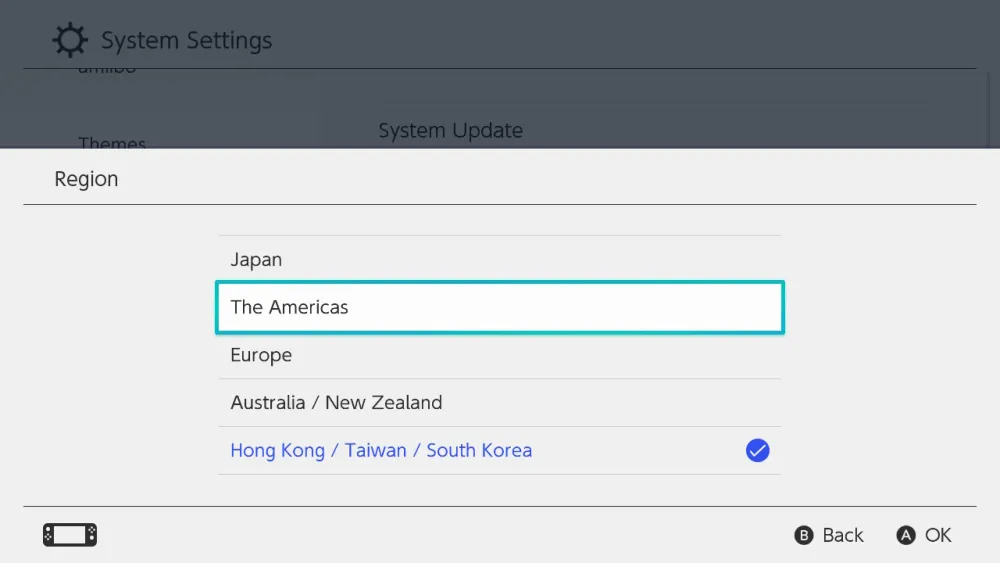
Select your "Region".
-
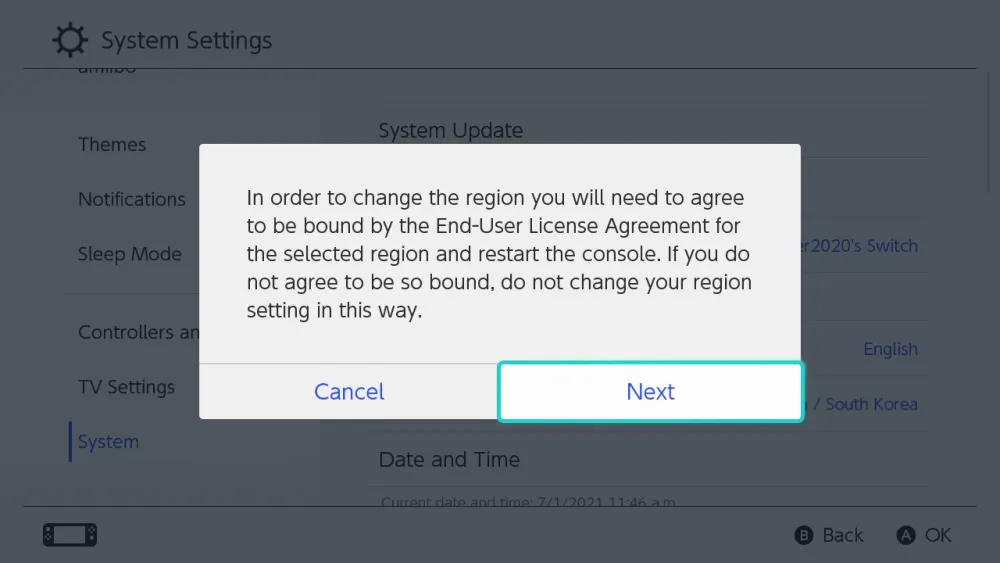
Press "Next".
-
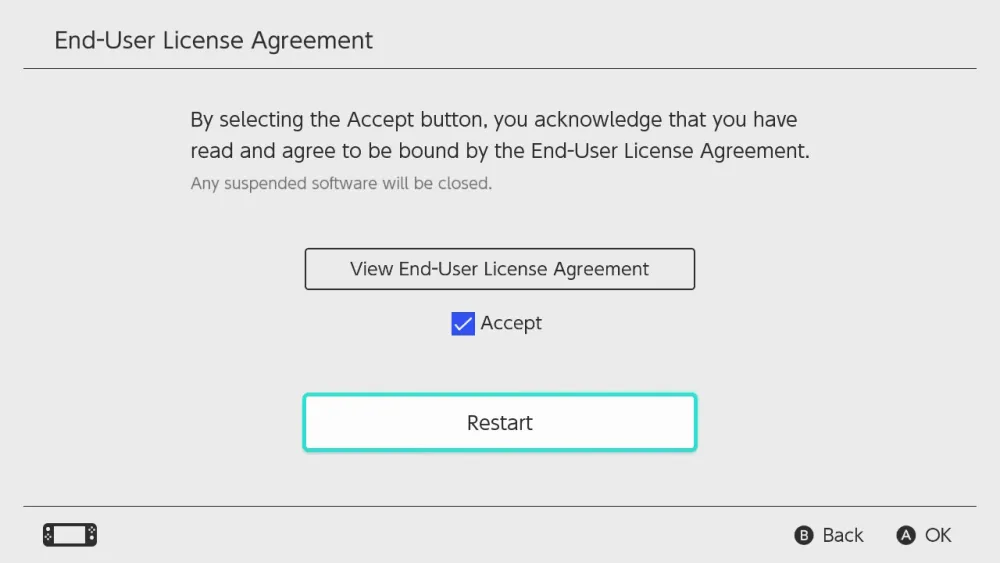
Finally, "Accept" and "Restart" your console.
Why Choose SEAGM for Nintendo eShop Gift Card Purchases?
Our dedicated customer support team is ready to assist you anytime. Reach out to us!
- Fast and Hassle-Free
Get your Nintendo eShop Gift Card on SEAGM in quick and easy. - Flexible Payment Options
Pay using the most popular payment methods worldwide. - Instant and Secure Delivery
Receive your purchase securely and instantly. - Exciting Offers and Promotions
Take advantage of incredible deals, giveaways, and exclusive offers only on SEAGM. Read more in SEAGM News!
Buy Nintendo eShop Gift Card with SEAGM
Get Nintendo eShop Gift Card and offers when you sign in to your SEAGM account. If you're new, sign up with SEAGM today! Our 24/7 support team is here to assist you anytime. Please don't hesitate to reach out for help via our 'Contact Us' page and or visit our support website at https://help.seagm.com/.
Browse SEAGM website to find what you need, or check out more gaming news, exclusive offers, and updates at https://news.seagm.com/.